I found this today on Youtube, and had to share because I can relate to the different kinds of students in the video. If you are an educator that speaks Spanish, get ready laugh. I would not consider it school appropriate because of a few vulgarities. Make sure to have your headphones on, or that you are not around others that understand Spanish.
Thursday, February 18, 2016

Monday, December 8, 2014
Student Presentations using ScreenCastify from Chrome Store
Tired of learners not speaking or participating fully during group presentations. Try ScreenCastify!
ScreenCastify for Chrome
So I'm too lazy to create a video explaining what ScreenCastify is. The name says it all. Here is a 1 minute video from youtube that you can watch if you need to. It's an extension on the Chrome store that creates a basic screencast. Just try it, and you'll see how easy it is to use. Students needed no more instruction than me telling them to get the extension from the Chrome Store.
Student Presentations
Group students, and have them collaborate on their presentations. When they are done with the research stage, have them create a presentation. (Prezi, Powerpoint, Google Slides, etc..) I had my students use Google Slides to create their presentations. Always remind students that images speak louder than words. I'm a big believer that too much text on your slides takes away from the presentation. When it comes time for presentation day, have all learners create a screen cast individually, and upload them to a discussion board. Require students to watch at least 5 presentations, and leave comments/feedback.
Discussion Board/Student Feedback

Thursday, October 2, 2014
A World Language Teacher's Dream (Taking Authentic Text to the Next level)
SpeakIt! for Language Learners
As a language teacher, I'm always trying to make learning as authentic and real as possible. What if every student was given their own personal tutor to read the target language text out loud? Students would be able to hear authentic language at the press of a button, and improve pronunciation effortlessly.Now you can. There is an extension in Chrome called SpeakIt. SpeakIt allows you to copy text from any site, and converts text to speech. I know what you are thinking, "It's too fast for me to understand." You are right! In order for a language learner to really benefit from Authentic speech, it must be comprehensible. This is where SpeakIt ROCKS!!! If you go into the option settings, not only are you able to change the language, but the speaking rate can be adjusted. This allows you to take any authentic text, and listen to it while you read along at a comfortable pace. The ability to slow down the rate of speaking makes SpeakIt a language learner's dream. I love this app!!!
SpeakIt! Extension for the Chrome Browser
Saturday, August 23, 2014
Friday, February 21, 2014
#SOSVenezuela and #PrayForVenezuela
I know the world is a crazy place right now, but Venezuela also needs HELP!!! WE BUY OIL FROM THESE PEOPLE!!! If you don't care about the people, at least care about the oil they sell us. Things are changing fast. #prayforvenezuela twitter, Venezuela SOS in Facebook. Please watch and care about the Venezuelan people.
English Version:
If you are close to the DFW, come join the protest and help us bring attention to the Venezuela crisis. We are asking for English speakers to also attend and get involved. If you feel up to it, wear white to signify a peaceful protest.
Sunday, April 7, 2013
Sagrada Familia
La Sagrada Familia
60 minutes recently did a segment on the Sagrada Familia, a famous church, in Barcelona, Spain. It's one of the most incredible structures on earth. If you ever go to Spain, make the trip to La Sagrada Familia. It's a once in a lifetime opportunity and no matter what your religious beliefs, your breath will be taken away.Tuesday, April 2, 2013
House of Lords Debates the Importance of World Languages
On October 28, 2010, the House of Lords spent an hour and 20 minutes discussing the importance of speaking languages other than English. Baroness Coussins, chair of the all parliamentary group on modern languages, discussed the need for England to invest in foreign language learning. As a LOTE teacher, how cool is it to see the government spend almost an hour and a half discussing the importance of learning a second language.
You and Yours is a BBC radio show that discussed the issue of learning languages a couple of months before the October 28, 2010 debate in the House of Lords. It was a fascinating discussion and is worth a listen.
http://www.bbc.co.uk/programmes/b00thxg0#p009r16y
Talk Radio in England (You and Yours) discusses Language Learning 08/31/2010
You and Yours is a BBC radio show that discussed the issue of learning languages a couple of months before the October 28, 2010 debate in the House of Lords. It was a fascinating discussion and is worth a listen.
http://www.bbc.co.uk/programmes/b00thxg0#p009r16y
Monday, April 1, 2013
Using Fakebook Profiles in the Classroom (Not Facebook)
Create a Fakebook profile that you can use in your classroom. After you create your profile, create friends and start posting to the wall. It's that easy. What a great way to bring characters, books and subjects to life. Fakebook is not affiliated with Facebook, so let's hope that Facebook lawyers don't shut it down.

The Fakebook Gallery is the best place to start. Get ideas for your classroom or use some of the profiles already in the gallery. Your students are going to love it!
Tuesday, March 26, 2013
Web 2.0 Tools For Teachers
Here is a great slide show from Rafael Scapin that lists some Web 2.0 tools that you should definitely check out. My favorite Web 2.0 tool from the list is probably Goanimate for Schools. Students can take any writing and turn it into an animated video in no time. I also love Evernote and use it on a daily basis. Evernote is my online closet for anything and everything. Down below I've added a few more Web 2.0 tools that I would recommend.
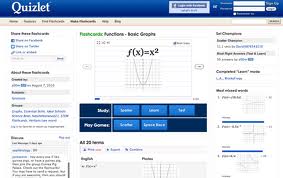
Quizlet: Quizlet is by far my favorite tool for students to create and study their notes.
Pearltrees: It's a fun way to organize your bookmarks and see what everyone else is bookmarking.

Wikispaces: This can be an awesome tool for students and teachers. Here is the greatest link for examples of educational wikis. Educationalwikis.

Twitter: Twitter is by far the best Professional Learning Network tool ever. This is the place to find the Web 2.0 tools you need in your classroom. You can also incorporate hastags into your lessons, so students can discuss topics and share resources.

Edmodo: I know edmodo is a learning mangagement system, but I had to put it on the list because it's awesome. I predict that edmodo will become the standard for LMS. It is also an amazing place to network with other educators and share ideas.

Web 2.0 Tools that I would add to the list:
Quizlet: Quizlet is by far my favorite tool for students to create and study their notes.
Pearltrees: It's a fun way to organize your bookmarks and see what everyone else is bookmarking.

Wikispaces: This can be an awesome tool for students and teachers. Here is the greatest link for examples of educational wikis. Educationalwikis.
Twitter: Twitter is by far the best Professional Learning Network tool ever. This is the place to find the Web 2.0 tools you need in your classroom. You can also incorporate hastags into your lessons, so students can discuss topics and share resources.

Edmodo: I know edmodo is a learning mangagement system, but I had to put it on the list because it's awesome. I predict that edmodo will become the standard for LMS. It is also an amazing place to network with other educators and share ideas.

Monday, March 25, 2013
Interactive Books for the 21st Century Learner
The way we read and learn will never be the same. I discovered my first interactive book when I was looking through different apps for my 2 year old son. I found Disneydigitalbooks.com and knew that my son's education would be different. The first book I downloaded was Toy Story and it opened my eyes to a new world. Here is a demo that shows off all of it's features:
These books are not just limited to Disney or story books. Soon all the books we read will be interactive and completely change the way we receive and process information. Mike Matas gave a short TED presentation about his team's software that is creating software for 21st century books. This type of software will give publishers the needed tools to reinvent all books. These new interactive books will forever change the way we read and learn.
These books are not just limited to Disney or story books. Soon all the books we read will be interactive and completely change the way we receive and process information. Mike Matas gave a short TED presentation about his team's software that is creating software for 21st century books. This type of software will give publishers the needed tools to reinvent all books. These new interactive books will forever change the way we read and learn.
Practice Spanish Outside of the Classroom
Paulino Brener has created a Google hangout that gives
language learners from all over the world a place to practice.
The hangout allows students a safe place to meet and practice online. The hangout is divided into Novice, Intermediate, Advanced,
and Spanish Teachers, so you will feel
more comfortable learning and practicing with someone on
your level. The hangouts are not limited to Spanish. You can
also checkout the other languages available at Language Practice
Page.

Tuesday, March 19, 2013
21st Century Skills (for jobs that don't yet exist)
First
of all, don't judge me. I was looking for the NCAA basketball regional
tournament on CBS when I came across this video. No, I'm not a big fan
of omg! from yahoo, but I will say that this video opened my eyes to an ever
changing world. First of all, what is a Social Media Response Lab?
If you can't answer that question, you have to watch this video.
Once there was only a technology gap between generations, but now we
should call it a social media gap. Parents are using the internet and
social media, but are they using it the same way that their kids do?
This Social
Media Response Lab opened my eyes and gave me a glimpse of what's to come. It also made me think about jobs that haven't even been invented
yet? Our students will be Community Managers or part of a Visual team
that creates Memes for a living. (What a cool job!) If these are
new jobs that will be growing in the years to come, shouldn't we incorporate
some of these skills into our classrooms? How can we gameify our classroom to mimic the real world that these
students are living in? How do we shrink the social media gap from within
the classroom? Should we start to incorporate hashtags into our lessons, so parents can see what's trending? Maybe students can create memes as part of a lesson. Whatever your beliefs about the future and
education, I hope that this video opens your eyes to a world that is changing
whether we want it to or not.
Saturday, November 10, 2012
From the Horn Book 1650 to the Apple Ipad 2010
A great article from Edudemic on some of the technology that changed learning forever. From the Horn Book 1650 to the Apple Ipad 2010:
The Evolution of Classroom Technology from Edudemic http://bit.ly/fOz2NV
Friday, November 2, 2012
Dream team of bloggers combine to produce The Super Book of Web Tools for Educators
Richard Byrne has put together a dream team of bloggers that just put out a K-12 technology guide and a must read for all educators. There is a little of something for everyone.
Quiz Maker that embeds video and can provide feedback.
Proprofs is different from a traditional quiz maker because it allows you to give feed back based on given answers. But the real kicker is it's ability to embed video. The free version does have adds, but nothing in life is totally free.
Thursday, November 1, 2012
Wednesday, October 31, 2012
Video of the Known Universe
This video will blow you away. It's about 6 minutes long, but worth every second. Really fascinating.
Tuesday, October 30, 2012
16 Smartest People in the World 2012
I didn't make the list. Maybe next year? (If I get a brain transplant)
16 Smartest People in the World
16 Smartest People in the World
How to Combat Test Anxiety?
Found this watching NOVA last night and thought it might help my students.
Subscribe to:
Posts (Atom)